Overview
Postponed VAT Accounting (PVA) allows eligible VAT-registered importers to account for import VAT on their VAT Return instead of paying the import VAT upfront.
In iCustoms, PVA can be configured at the contact level. Once enabled for a contact, PVA can be applied automatically when that contact is used on a declaration, helping to avoid entering the setting manually for each declaration.
HMRC requires the importer’s VAT registration number to be included on the customs declaration when using PVA.
Video Tutorial
Watch the video below for a step-by-step guide on how to configure and apply Postponed VAT Accounting (PVA) in iCustoms.
Step-by-Step Guide
Step 1: Open the Contact
Navigate to your Contacts list and select the contact you want to configure.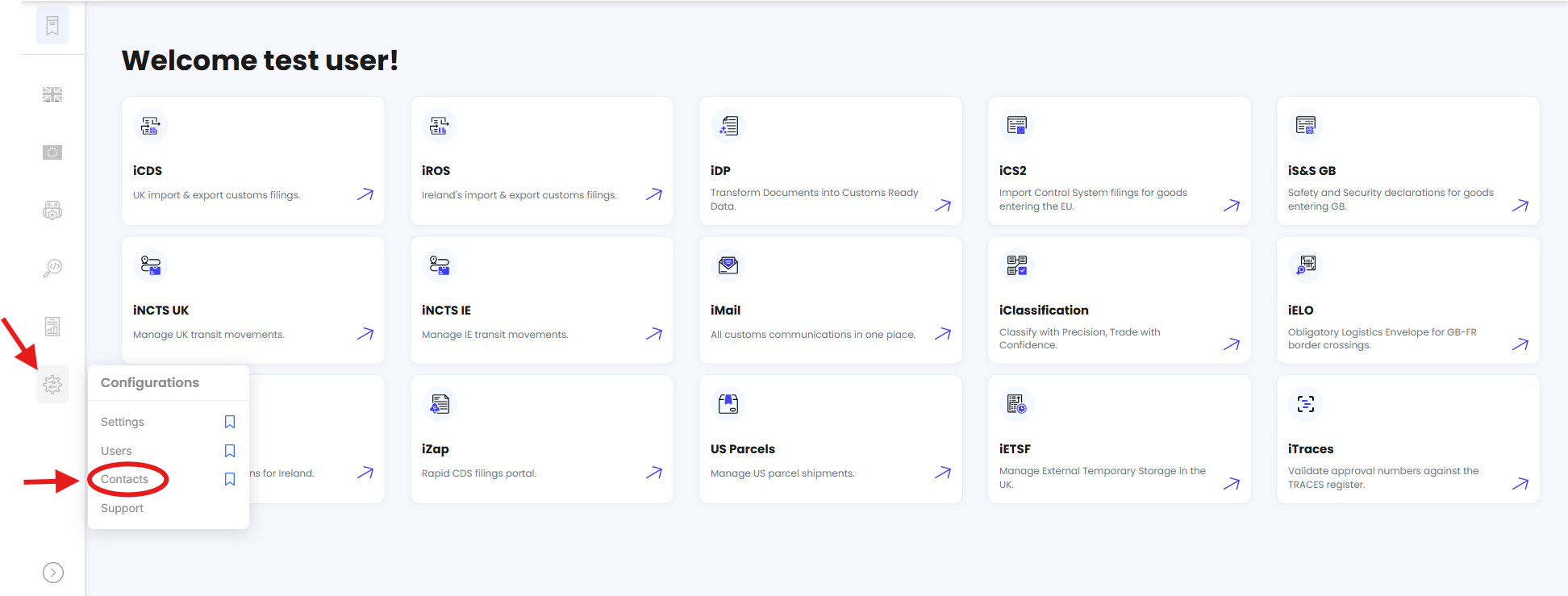
This will typically be the importer or the party responsible for the import VAT.
Click Edit Contact to open the contact details.
Step 2: Go to the “Additional Information” Tab
Within the Edit Contact window, select the Additional Information tab from the top menu.
Step 3: Enter the VAT Number
Under Contact Information, locate the VAT Number field.
Enter the contact’s correct VAT Registration Number (VRN).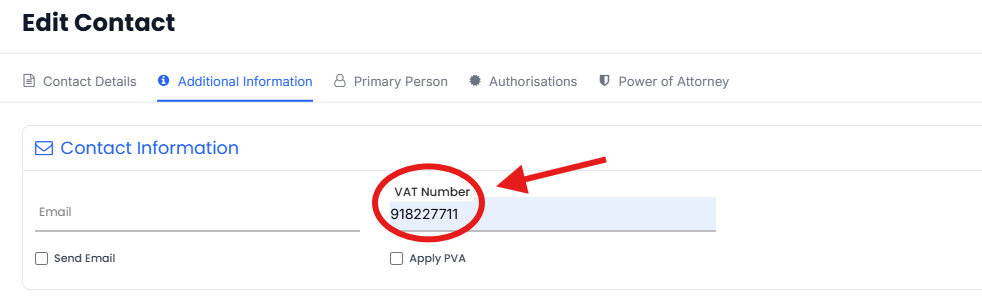
Step 4: Enable “Apply PVA”
Below the VAT Number field, select the Apply PVA checkbox.
This enables PVA for the contact so that it can be applied automatically when the contact is used on a declaration.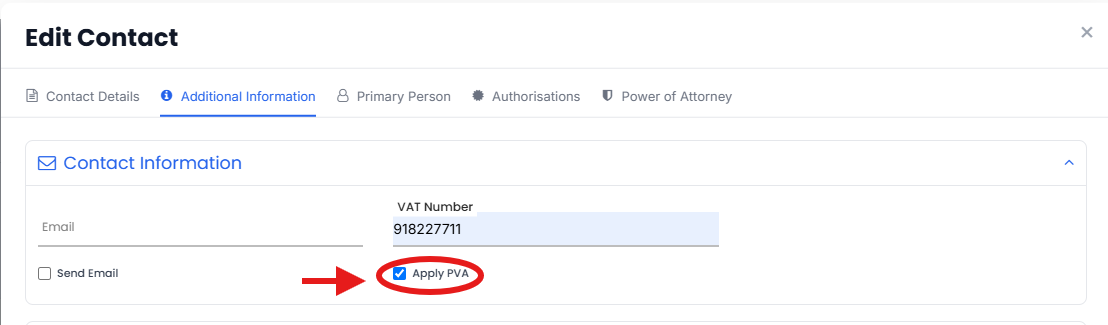
Step 5: Save Your Changes
Click Update to save the contact.
Your PVA settings are now saved against the contact.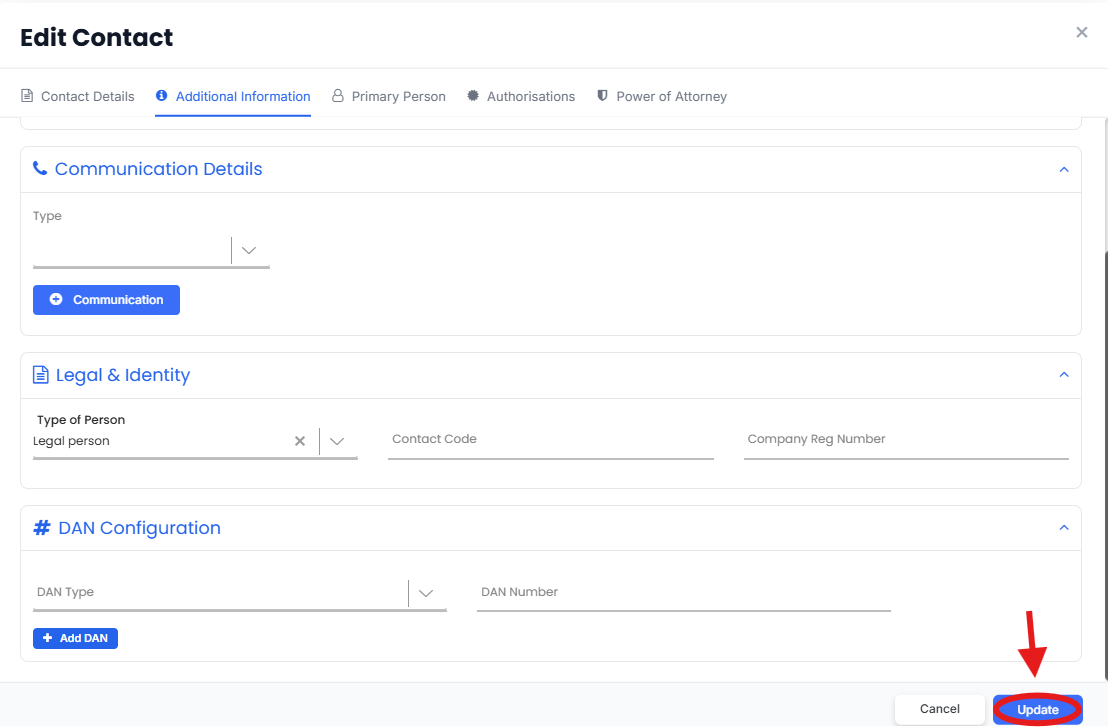
What Happens Next ?
Once Apply PVA is enabled, declarations created using this contact can have PVA applied automatically.
The importer’s VAT registration number is used when declaring PVA on the customs declaration. HMRC records the postponed import VAT against the importer’s EORI and makes the relevant information available through the Monthly Postponed Import VAT Statement (MPIVS).
Important Notes
Check the VAT Number carefully before saving. The VAT registration number is required when PVA is declared and should belong to the importer using PVA.
PVA is contact-specific. If you manage multiple importers or contacts, configure Apply PVA for each contact where PVA should be used.
PVA eligibility still applies. The contact must meet HMRC's requirements for using PVA. For example, the importer must generally be VAT registered and importing goods for business use.
PVA cannot be changed after the import declaration has been submitted. Make sure the PVA setting and VAT number are correct before submitting the declaration.
Un-ticking “Apply PVA” will stop PVA from being automatically applied to new declarations using that contact. It does not retrospectively change declarations that have already been submitted.
Need Help?
If you need assistance with configuring or using PVA in iCustoms, contact the iCustoms Support Team: Contact Support Team
Was this article helpful?
That’s Great!
Thank you for your feedback
Sorry! We couldn't be helpful
Thank you for your feedback
Feedback sent
We appreciate your effort and will try to fix the article