Overview
If you need to restore or un-archive a declaration that was previously archived, you can restore either a single declaration or multiple declarations from the Archived section in iCustoms. Follow the steps below.
Steps to Restore a Single Declaration
Go to Archived
click the Archived tab.Open the declaration options
Locate the declaration you want to restore and click the ⋮ at the end of the declaration.Select Restore
Select Restore from the available options.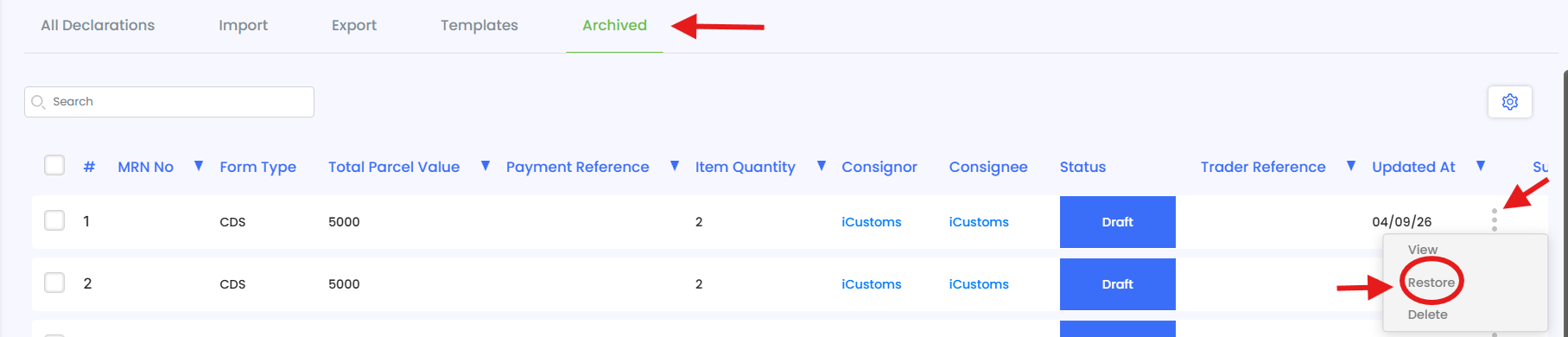
Confirm the restoration
A confirmation message will be displayed confirming that your declaration has been restored successfully.
Steps to Restore Multiple Declarations
Go to Archived
click the Archived tab.Select the declarations
Select the checkboxes on the left-hand side of the declarations you want to restore. The Restore All button will become available.Select multiple declarations
Continue selecting the checkboxes for all declarations you want to un-archive/restore.Click Restore All
Click Restore All to restore the selected declarations.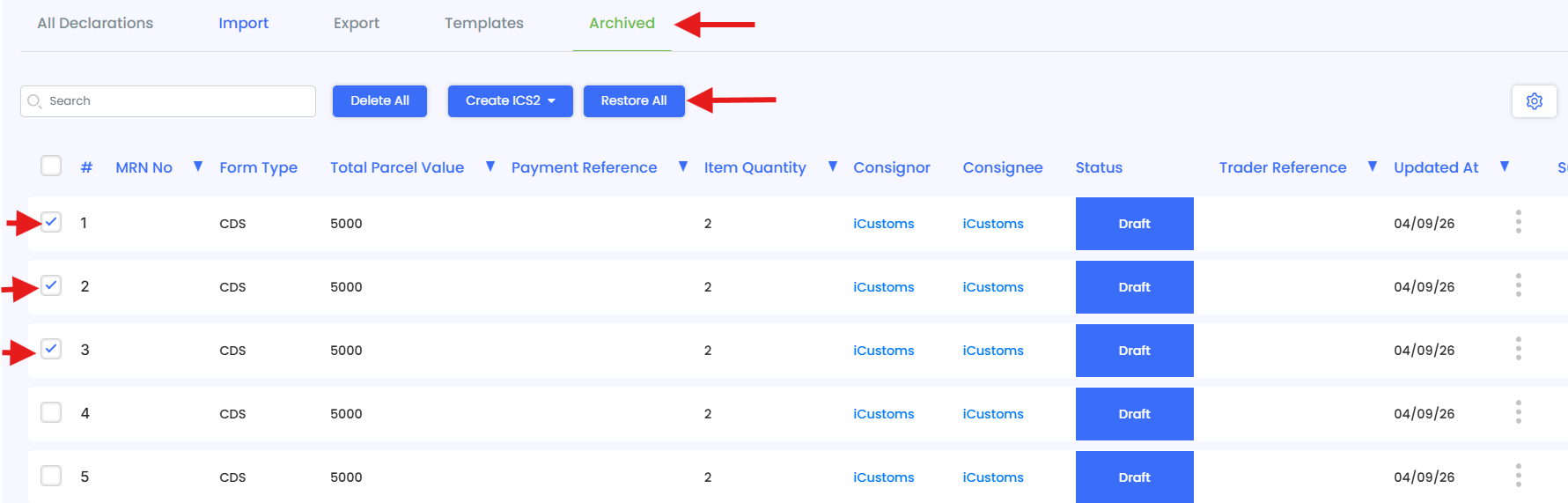
Confirm the restoration
A confirmation message will be displayed confirming that your declarations have been restored successfully.
Need Help?
If you need assistance with restoring or un-archiving declarations, contact the iCustoms Support Team: Contact Support Team
Was this article helpful?
That’s Great!
Thank you for your feedback
Sorry! We couldn't be helpful
Thank you for your feedback
Feedback sent
We appreciate your effort and will try to fix the article