Overview
You can add multiple DAN (Deferment Account Number) accounts to an Importer or Representative contact in iCustoms. Once configured, these accounts will be available for selection when the contact is used on a declaration.
Steps to Add DAN Accounts
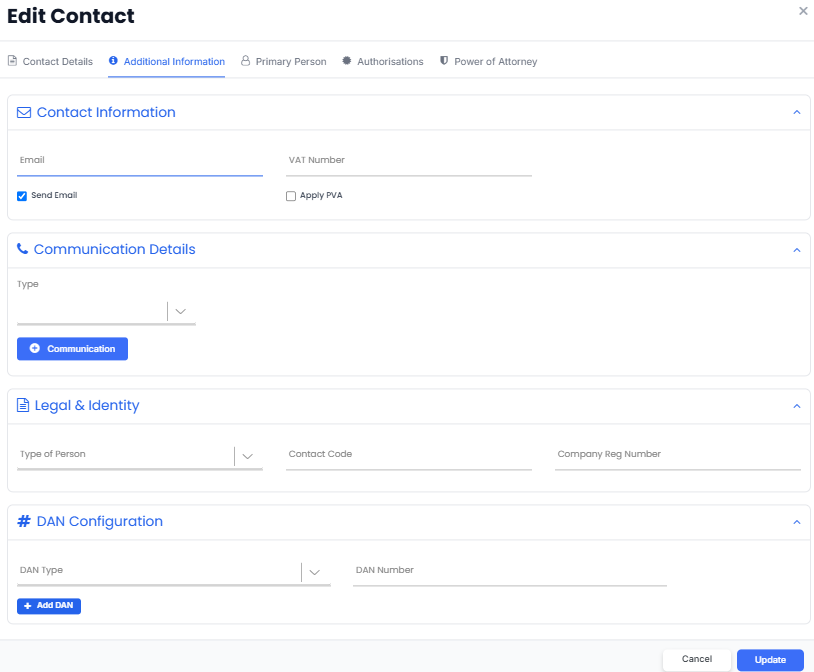
- Open the relevant Importer or Representative contact.
- Click Edit.
- Go to the Additional Information tab.
- Under DAN Configuration, select the required DAN Type and enter the DAN Number.
- To add another DAN account, click + Add DAN and enter the details.
- Repeat the above step for each additional DAN account you want to add.
- Click Update to save your changes.
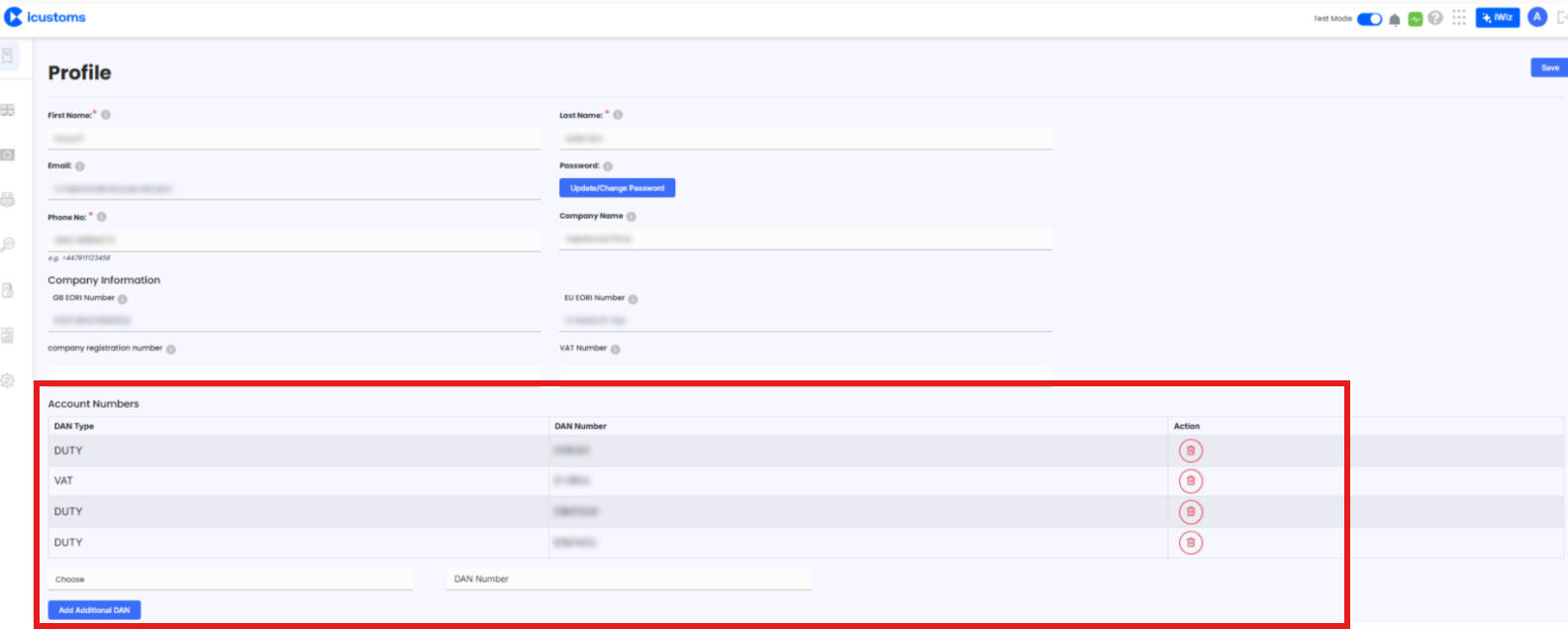
Add DAN Accounts from Profile
DAN accounts can also be added through the Profile section.
Note: You must have Super Admin permissions to add or manage DAN accounts through the Profile section.
Using the DAN Accounts on a Declaration
Once the DAN accounts have been saved, select the relevant contact as the Importer or Representative when creating a declaration.
The DAN accounts configured for that contact will then appear in the Primary Deferment Account drop-down, allowing you to select the required account.
Tip: Make sure the DAN Type and DAN Number are entered correctly for each account.
Need Help?
If you have any questions or need assistance, contact the iCustoms Support Team: Contact Support Team
Was this article helpful?
That’s Great!
Thank you for your feedback
Sorry! We couldn't be helpful
Thank you for your feedback
Feedback sent
We appreciate your effort and will try to fix the article