Overview
The Distribute feature allows you to allocate a total value extracted from a document across multiple items. You can select the value to distribute and choose a Distribution Key to determine how the value is allocated to each item.
How Do I Split Total Value Across Items?
To distribute a total value across items:
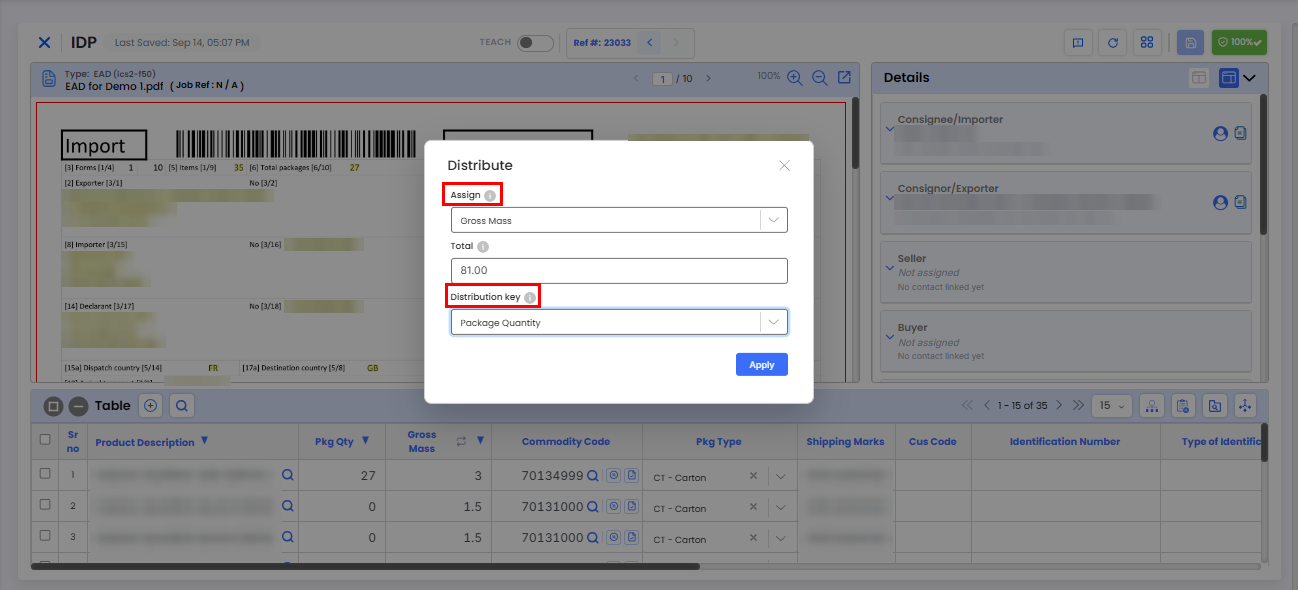
Select the value you want to distribute under Assign, such as Gross Mass.
The Total field displays the total value extracted from the document.
Select a Distribution Key, such as Package Quantity.
The system uses the selected Distribution Key to determine how the total value is allocated across each item.
Can I Automatically Assign Values to Items?
Yes. Values can be automatically assigned to items using the Distribute feature. You can also use the Copy/Move option by right-clicking an item within the item table.
Rules can also be configured to automatically populate data based on your requirements.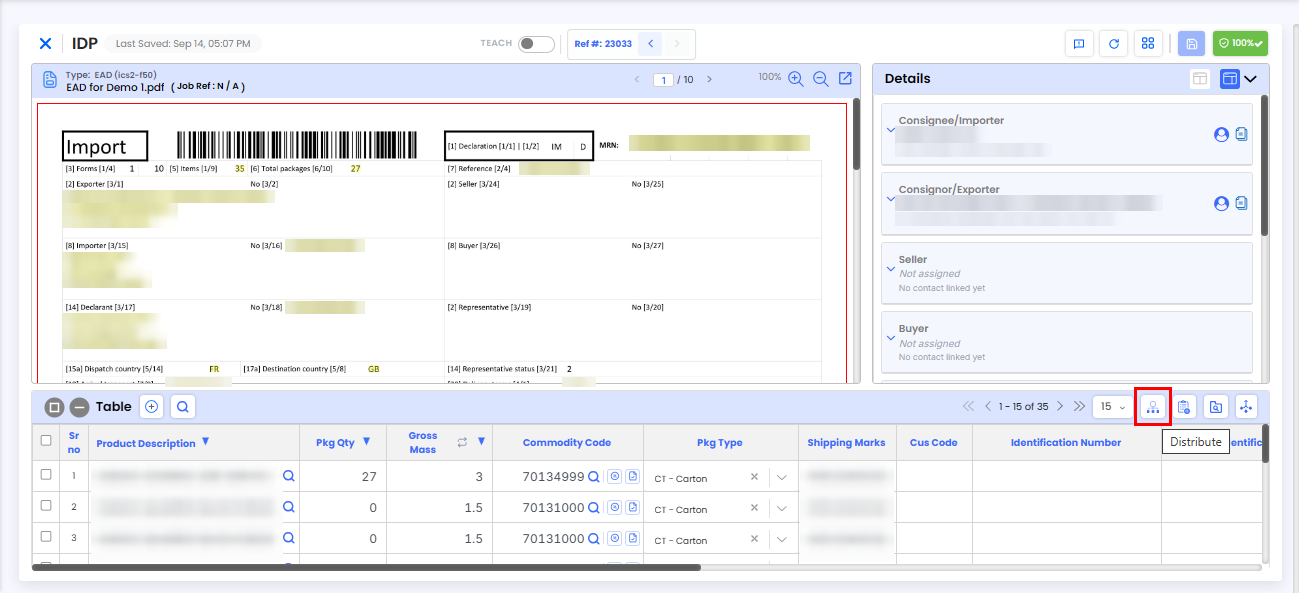
Need Help?
If you need assistance using the Distribute feature, contact the iCustoms Support Team: Contact Support Team
Was this article helpful?
That’s Great!
Thank you for your feedback
Sorry! We couldn't be helpful
Thank you for your feedback
Feedback sent
We appreciate your effort and will try to fix the article