Overview
The iDP Virtual Tour allows you to explore guided walkthroughs that help you understand how to use different features and workflows in iCustoms.
To access the iDP Virtual Tour:
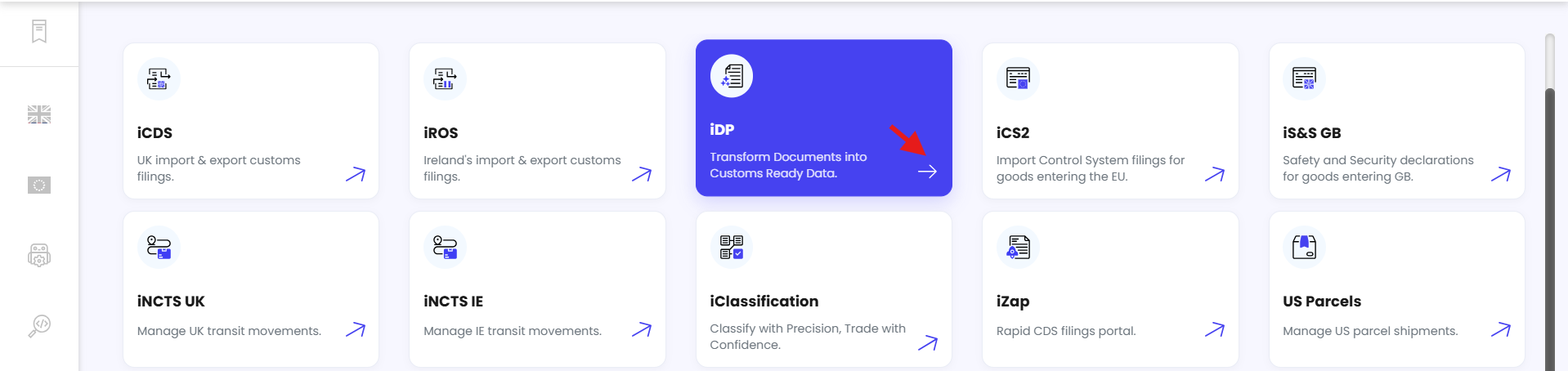
From the Dashboard, click iDP.
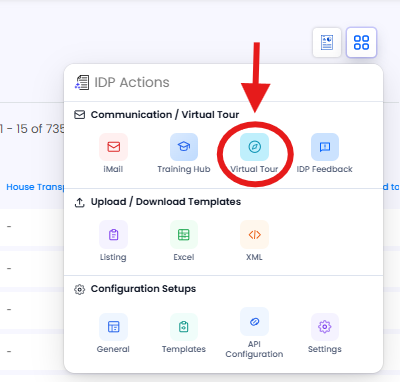
Click the Action Menu in the top-right corner.

Select Virtual Tour.
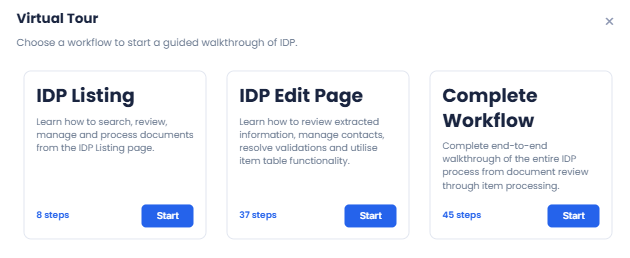
Select the walkthrough you want to explore. You can choose from:
iDP Listing – Learn how to search, review, manage, and process documents from the iDP Listing page.
iDP Edit Page – Learn how to review extracted information, manage contacts, resolve validation issues, and use item table functionality.
Complete Workflow – Follow the complete iDP process from document review through to processing.
Click Start to begin the selected walkthrough.
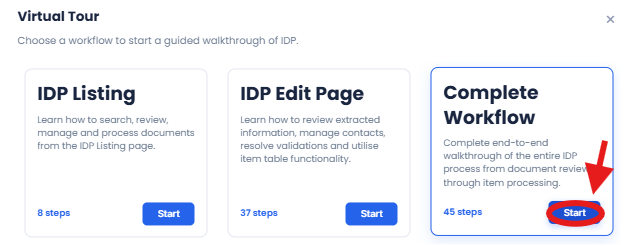
We recommend selecting the Complete Workflow to get a full understanding of the iDP process from start to finish.
Need Help?
If you need assistance accessing or using the iDP Virtual Tour, contact the iCustoms Support Team: Contact Support Team
Was this article helpful?
That’s Great!
Thank you for your feedback
Sorry! We couldn't be helpful
Thank you for your feedback
Feedback sent
We appreciate your effort and will try to fix the article