Overview
The Feedback feature in iDP allows you to report issues, provide details about problems you are experiencing, and share suggestions to help improve the document processing experience.
To send feedback:
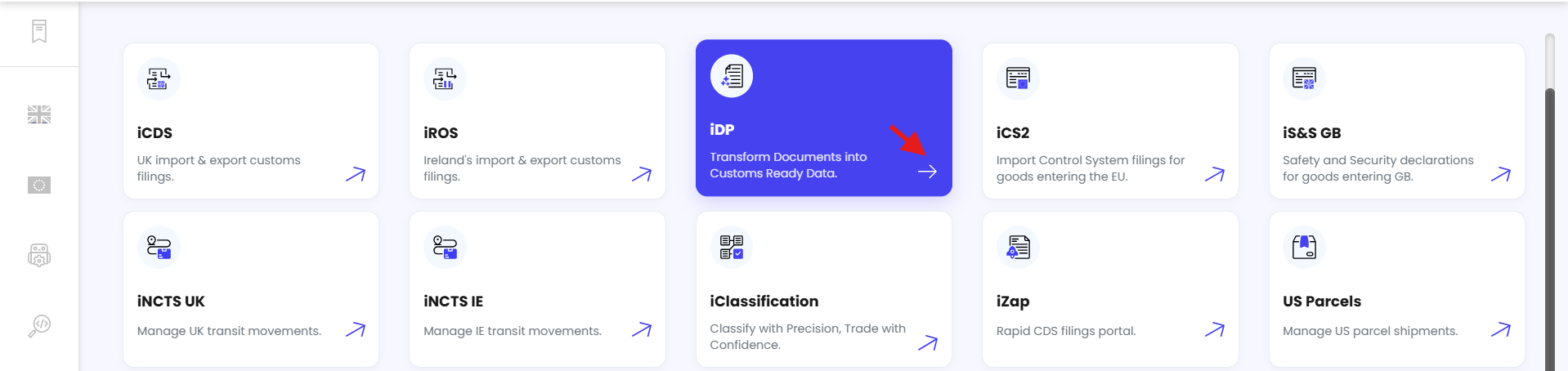
From the Dashboard, click iDP.
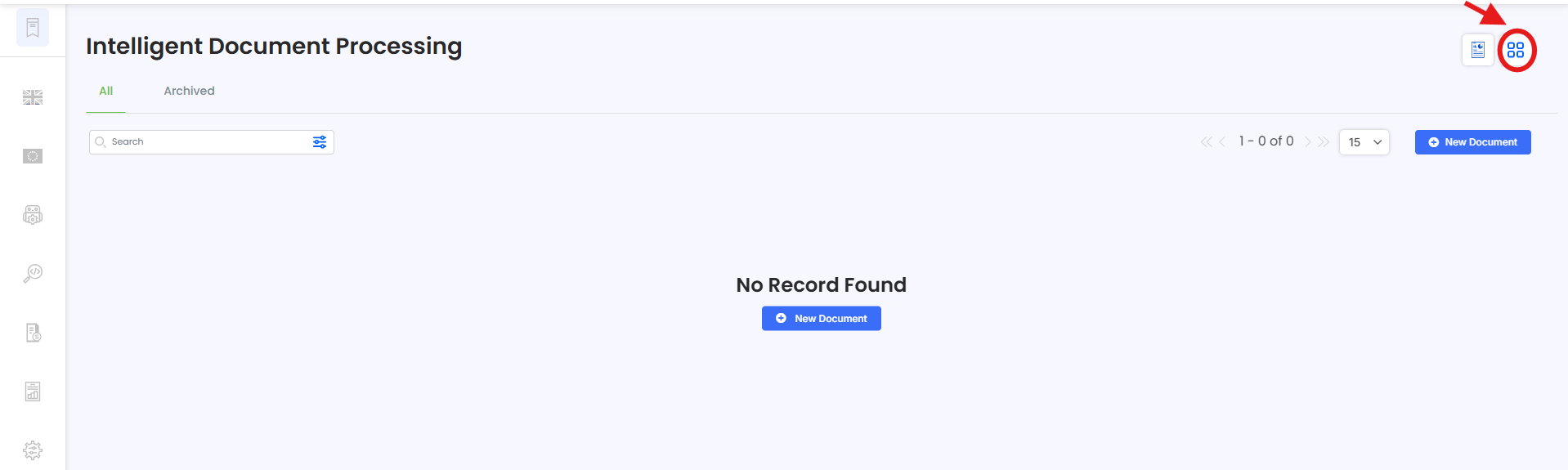
Click the Action Menu.
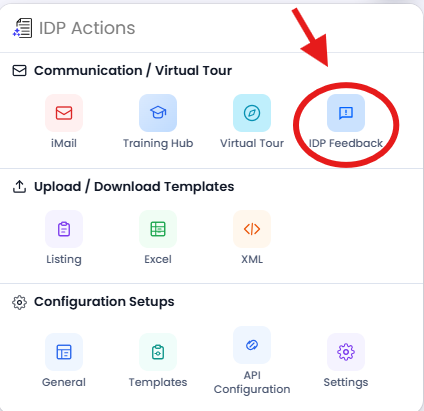
Select Feedback.
A Feedback pop-up window will be displayed.
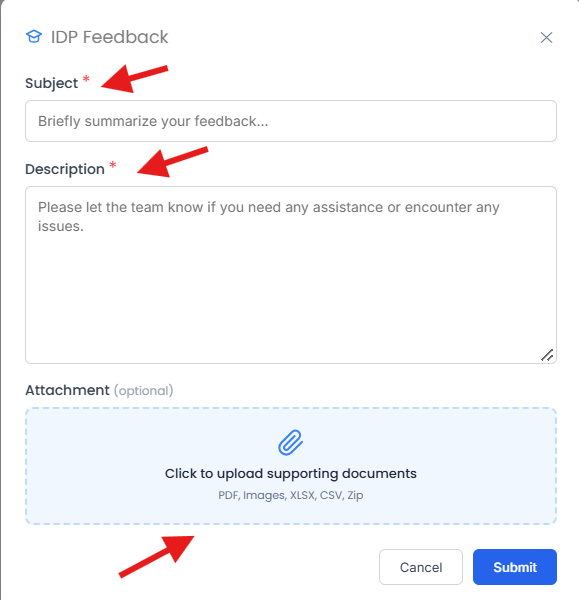
Enter a Subject describing the issue or feedback. For example:
Data extraction failed
Data is not being picked accurately
In the Description field, provide detailed information about the issue you are experiencing. Include as much relevant information as possible to help the team understand and investigate the problem.
You can also attach a screenshot or document showing the issue you are experiencing. This can help the team better understand the problem.
If you have any suggestions or recommendations for improving iDP, you can also include them in the feedback.
Once you have provided all the required information, submit the feedback.
Your feedback will be shared with the team for review and further investigation where required.
Need Help?
If you need assistance with sending feedback in iDP, contact the iCustoms Support Team: Contact Support Team
Was this article helpful?
That’s Great!
Thank you for your feedback
Sorry! We couldn't be helpful
Thank you for your feedback
Feedback sent
We appreciate your effort and will try to fix the article