Overview
Once you have selected the required report columns, you can export the report for further use or sharing.
Why ?
ICS2 reports can be exported as:
- CSV
- Excel (.xlsx)
You can also add one or more email recipients.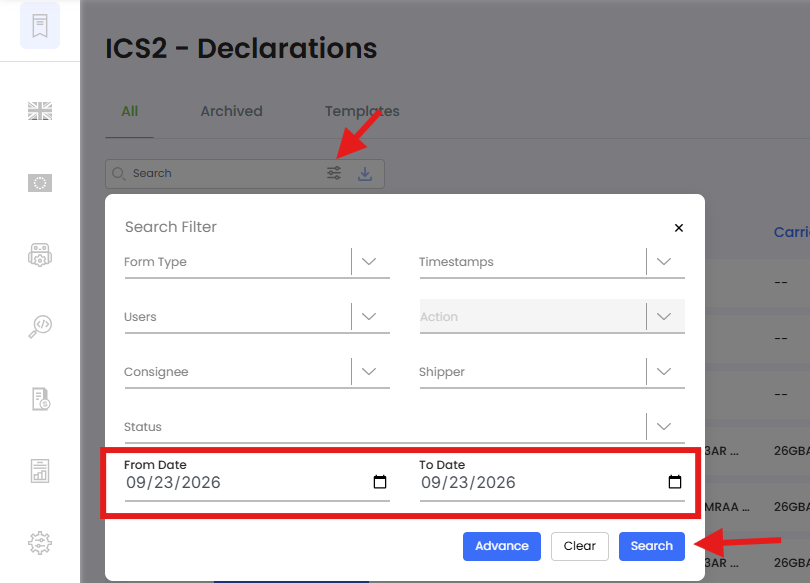
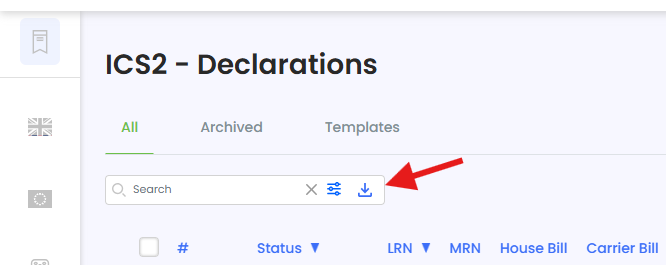
Use Save & Close to generate the report or Schedule Report if you want it to be generated automatically.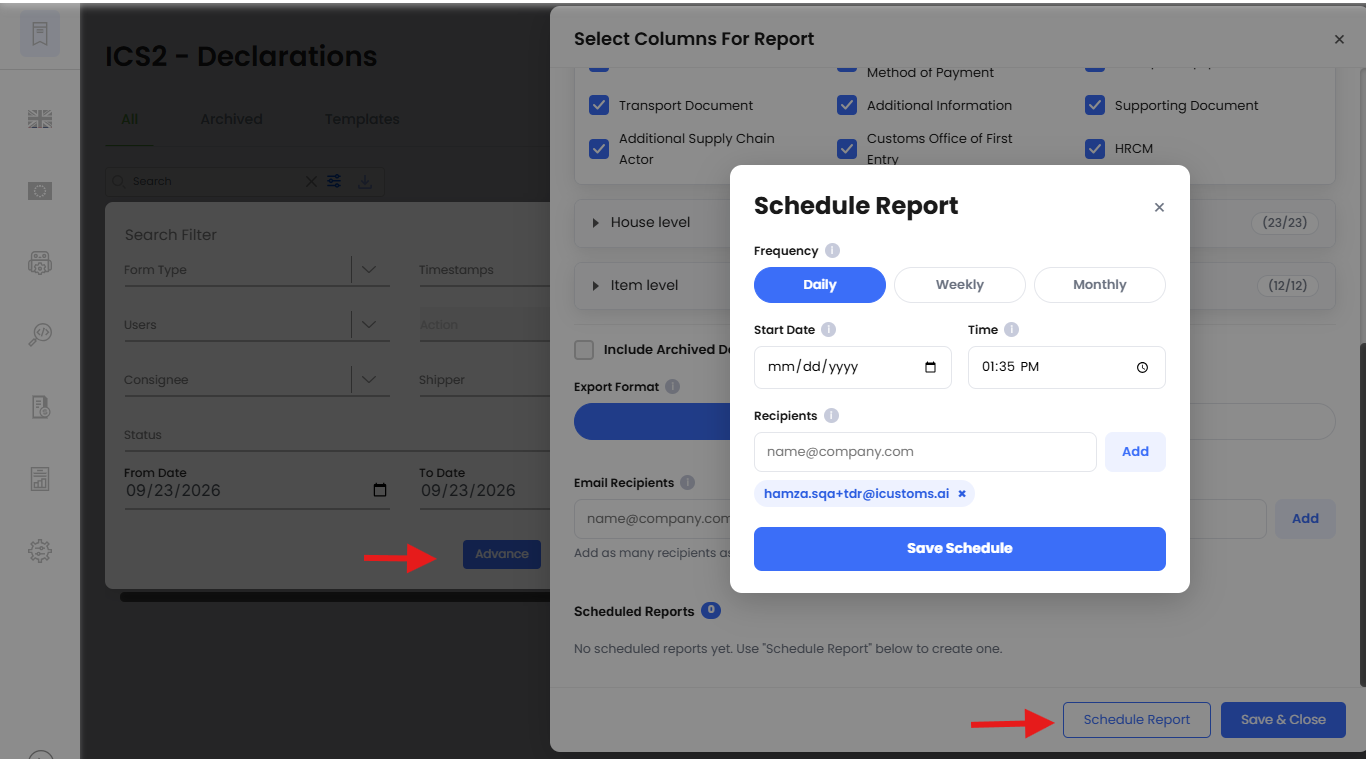
Need Help?
If you need further assistance, contact the iCustoms Support Team: Contact Support Team
Was this article helpful?
That’s Great!
Thank you for your feedback
Sorry! We couldn't be helpful
Thank you for your feedback
Feedback sent
We appreciate your effort and will try to fix the article