Overview
The iDP listing page can be customised to display the information most relevant to you. Users can select which columns to display, rearrange their order, and update specific listing records when required.
How Do I Maintain the iDP Listing Page?
Open the iDP Listing page.
Select the Gear icon to open the column settings.
Select the columns you want to display.
Only the selected columns will be shown on the listing page.
To change the column order, drag and drop the columns into your preferred position.
These customisations are user-specific and will not affect other users within the company.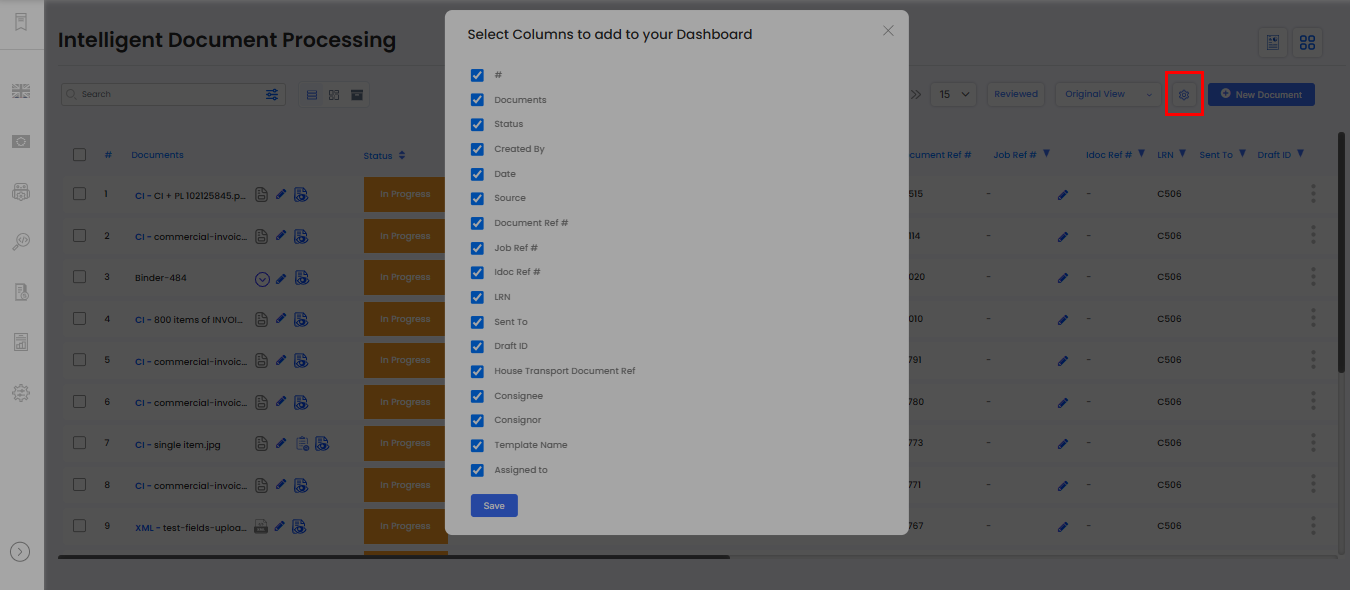
How Do I Add or Update Listing Records?
The Document Name or Job Reference Number can be updated by selecting the Edit icon associated with the relevant record.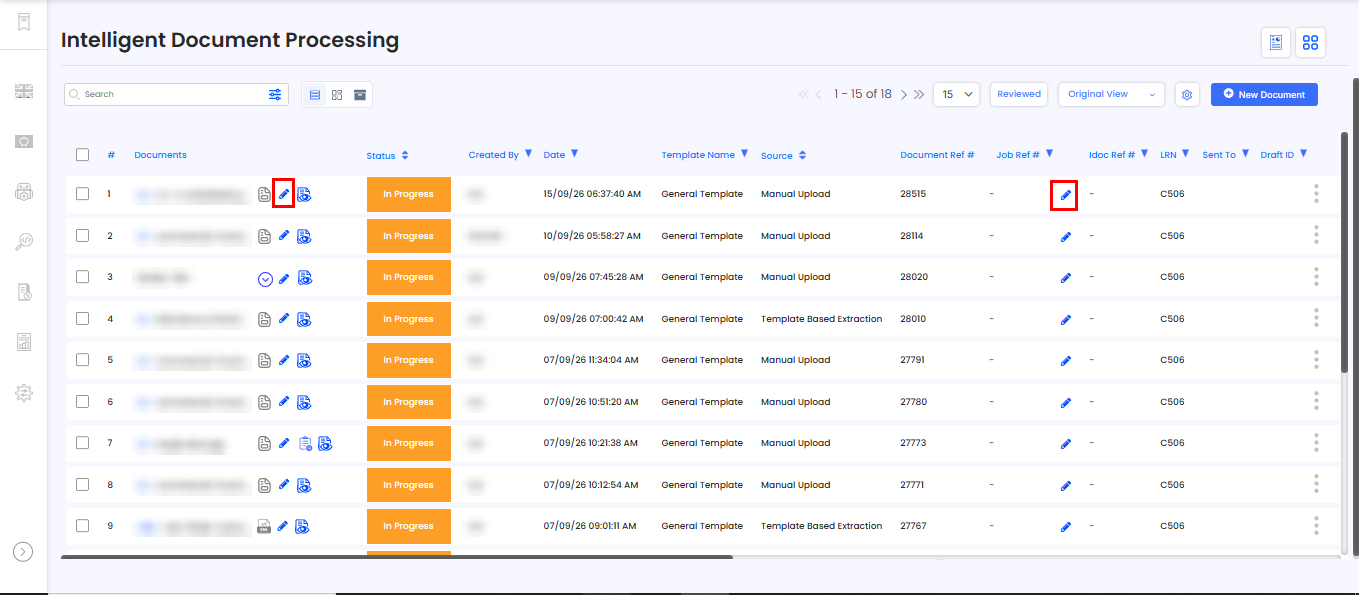
Need Help?
If you need assistance with managing the iDP listing page, contact the iCustoms Support Team: Contact Support Team
Was this article helpful?
That’s Great!
Thank you for your feedback
Sorry! We couldn't be helpful
Thank you for your feedback
Feedback sent
We appreciate your effort and will try to fix the article